-
1
Open our link
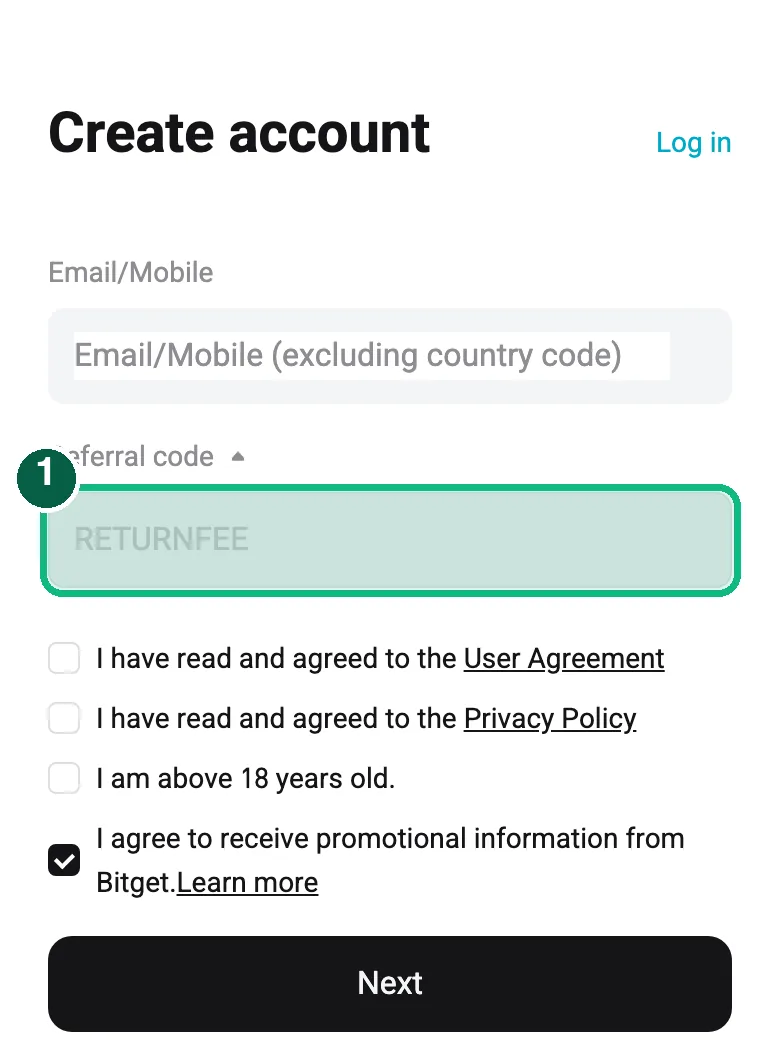
Tap the sign-up button on this page. The Bitget sign-up page opens. Use our link, not the Bitget app or a search result, so the account is opened through us. Check that the referral code field already shows RETURNFEE, as in the green box. Leave it as it is.
-
2
Sign up with email or phone
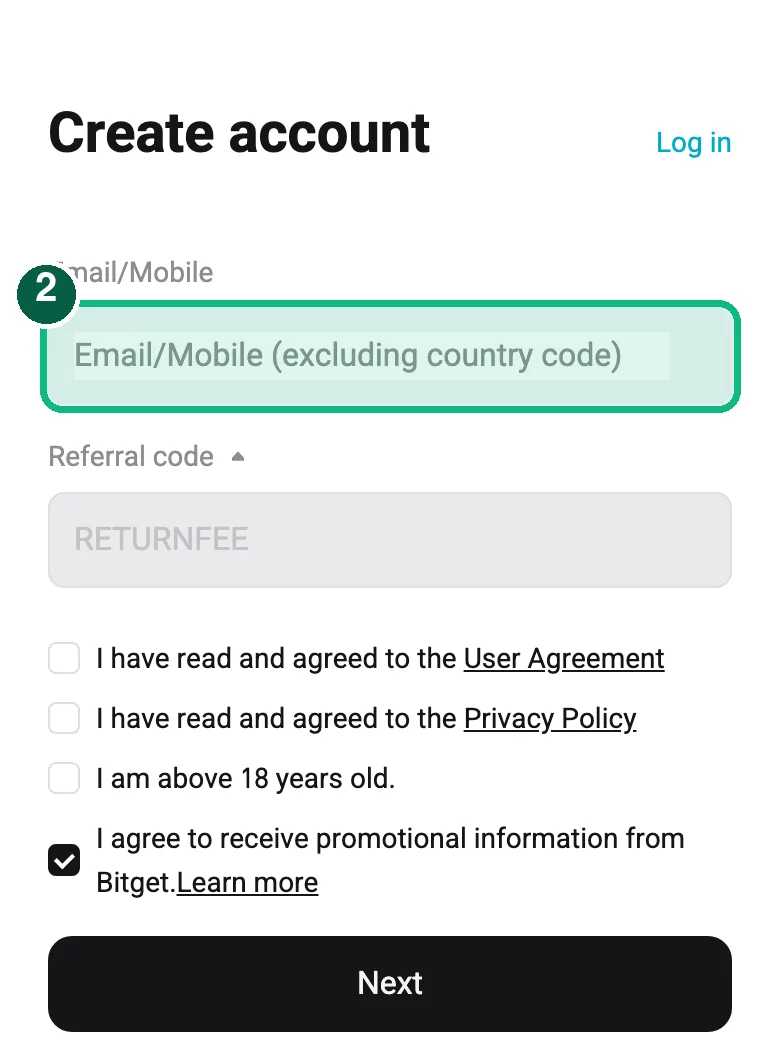
Enter your email or phone number, tick the agreement boxes and tap Next. Then set a password.
-
3
Enter the verification code
Bitget sends a code to your email or phone. Enter it on the sign-up screen.
-
4
Complete identity verification (KYC)
Open the Bitget app and complete identity verification (KYC) as prompted, usually an ID document and a selfie.
-
5
Find your UID
In the Bitget app or on the website, open your profile. Your UID is shown there. Copy it.
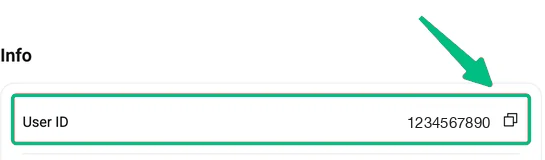
Where to find your UID on Bitget: Dashboard, then Info, then User ID (or hover over your avatar, top right). Click the icon to copy. -
6
Link your UID on ReturnFee
Open ReturnFee, sign in and add the UID under your dashboard. Choose Bitget as the exchange.
Link your UID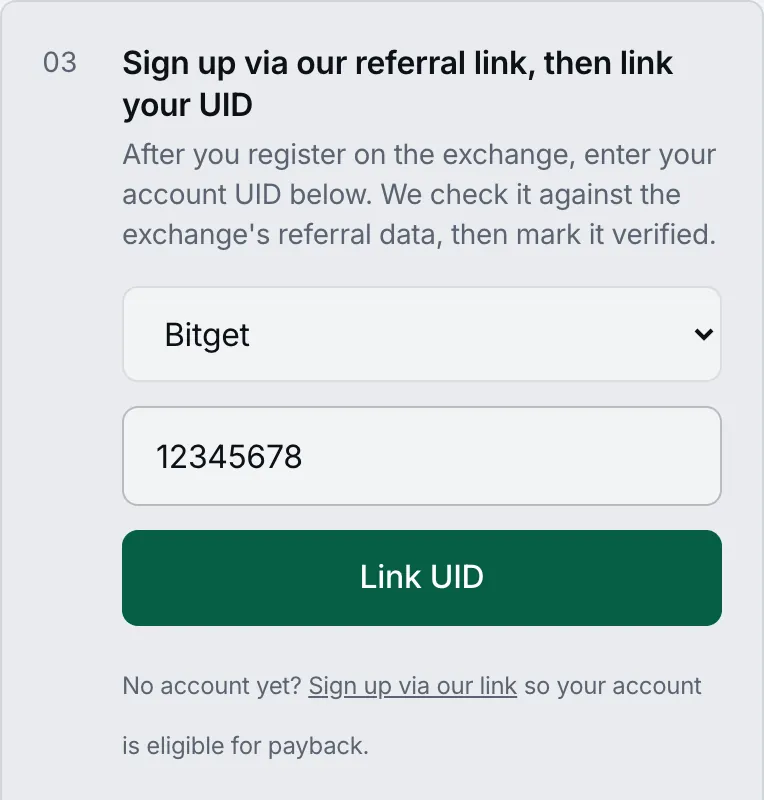
Screenshots show the public Bitget sign-up page; the exchange may change its layout.